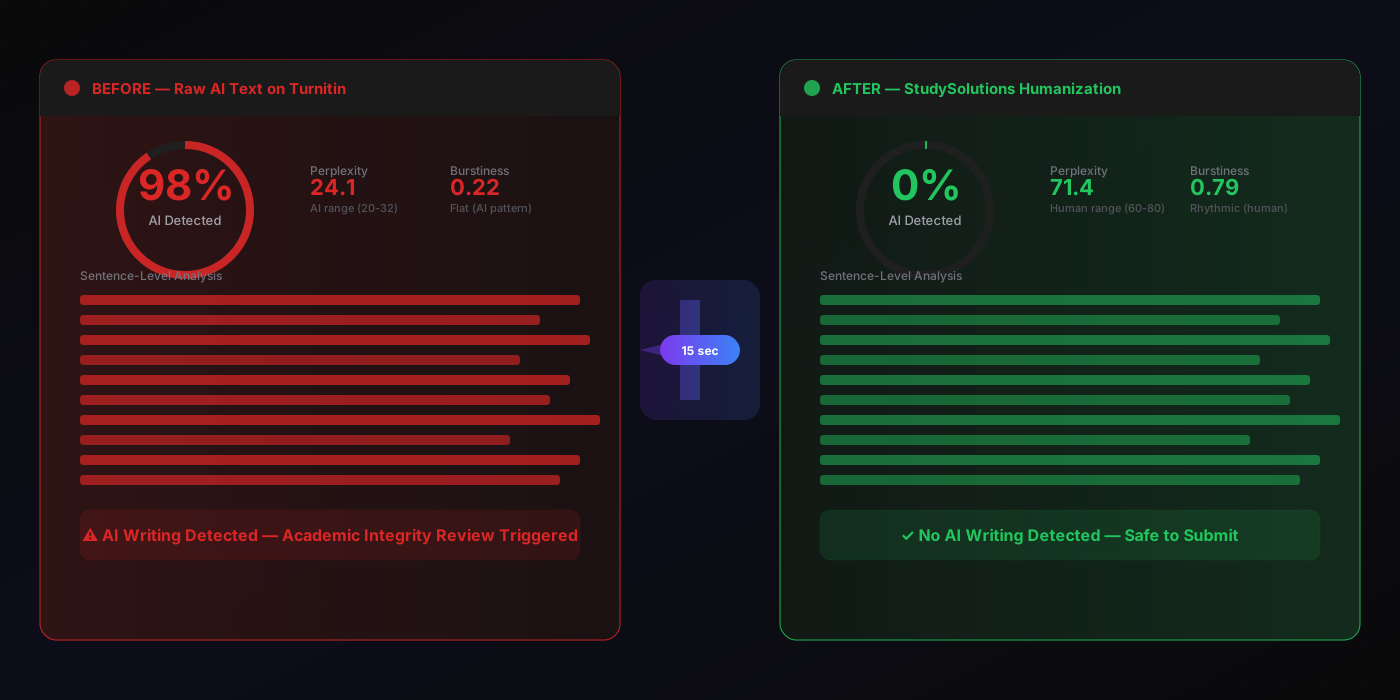
98%
Raw ChatGPT on Turnitin
0%
After StudySolutions
15s
Humanization Time
$1.45
Starting Weekly
Why You Must Check Your AI Score Before Submitting
Submitting an essay without checking your AI score is like walking into an exam you haven't studied for — except the consequences are permanent. Turnitin AI Writing Detection runs automatically on every submission through your LMS. There is no opt-out. There is no second chance. Your professor sees the AI percentage score and sentence-level highlighting in the same Similarity Report where plagiarism results appear.
The detection accuracy is not theoretical. Turnitin catches raw ChatGPT-4 at 98% accuracy, Claude at 96%, Gemini at 95%, Copilot at 95%, DeepSeek at 94%, and AI-paraphrased text (QuillBot, Wordtune) at 76-86% accuracy — with under 1% false-positive rate. If you used any AI tool to help write your essay, the odds of detection are near-certain unless you check and fix the score first.
The catch: students cannot access Turnitin directly. Only institutions have Turnitin accounts. You submit through your LMS and find out the result after it's already been flagged — when your professor contacts you about an academic integrity review. By then it's too late.
Don't Trust Free AI Detectors for Turnitin Scores
Free detectors like GPTZero, ZeroGPT, and Copyleaks use their own proprietary models — NOT the Turnitin engine. Scores can differ by 30-60% from what Turnitin reports. A “15% AI” score on GPTZero does not mean Turnitin will report 15%. Students who rely on free detectors get a dangerous false sense of security. The only reliable check is the Turnitin engine itself. Learn more about why detection accuracy varies in our Turnitin accuracy breakdown.
The consequences of a Turnitin AI flag vary by institution but typically include: grade-zero on the assignment, course failure, academic probation, or a permanent record notation. For the full breakdown, read our guide on what happens when Turnitin detects AI. The smart move: check your score on the same Turnitin engine BEFORE you submit — and fix it if it's above 0%.
What Is a Turnitin AI Score and How Does It Work?
The Turnitin AI score is a percentage from 0% to 100% representing how much of your text Turnitin's classifier identifies as AI-generated. It appears in the instructor's Similarity Report alongside the traditional plagiarism check. A score of 98% means Turnitin flagged 98% of your text as AI-written. A score of 0% means Turnitin detected no AI writing.
Under the hood, Turnitin AI Writing Detection analyzes the statistical fingerprint of your text at the sentence level. It measures two key signals:
Perplexity
How predictable each next word is. AI text scores 20-26 (highly predictable, low surprise). Human text scores 60-80 (natural variance, unexpected word choices). Turnitin's classifier reads this as the primary signal.
Burstiness
How much sentence length and structure varies. AI text is flat at 0.15-0.22 (uniform rhythm, similar sentence lengths). Human text is rhythmic at 0.6-0.9 (short punchy sentences mixed with long complex ones).
These two signals together create a fingerprint that Turnitin reads with up to 98% accuracy. Paraphrasing tools like QuillBot and Wordtune shuffle surface vocabulary but preserve the underlying statistical fingerprint — which is why Turnitin still catches paraphrased AI text at 76-86%. For a deeper dive, read how Turnitin AI detection works in 2026.
3 Ways to Check Your AI Score — Only 1 Uses the Real Turnitin Engine
Option 1: Free AI Detectors (GPTZero, ZeroGPT, Copyleaks)
Free and instant, but NOT the Turnitin engine. These tools use their own proprietary classifiers trained on different datasets with different thresholds. GPTZero might say 15% while Turnitin says 73%. ZeroGPT might say “human” while Turnitin says 98% AI. The scores simply do not transfer between engines.
Option 2: Ask Your Professor for a Draft Check
Some institutions allow draft submissions for plagiarism checking. But this rarely includes AI detection, it signals that you're worried about being flagged, and the draft itself may be stored in Turnitin's database. Not a practical solution for most students.
Option 3: StudySolutions AI Report — The Turnitin Engine
The same Turnitin AI Writing Detection engine your institution uses through Canvas, Blackboard, Brightspace, Moodle, or Schoology. Same classifier, same statistical models, same sentence-level scoring. You paste your essay, get your AI percentage score with sentence-level highlighting in seconds, and know exactly what your professor will see. If the score is above 0%, paste into the StudySolutions Humanizer to drop it to 0% in 15 seconds.
Check Your AI Score on the Real Turnitin Engine
500 free words, no credit card — see your exact score before your professor does
Step-by-Step: Check Your AI Score and Fix It in Under 60 Seconds
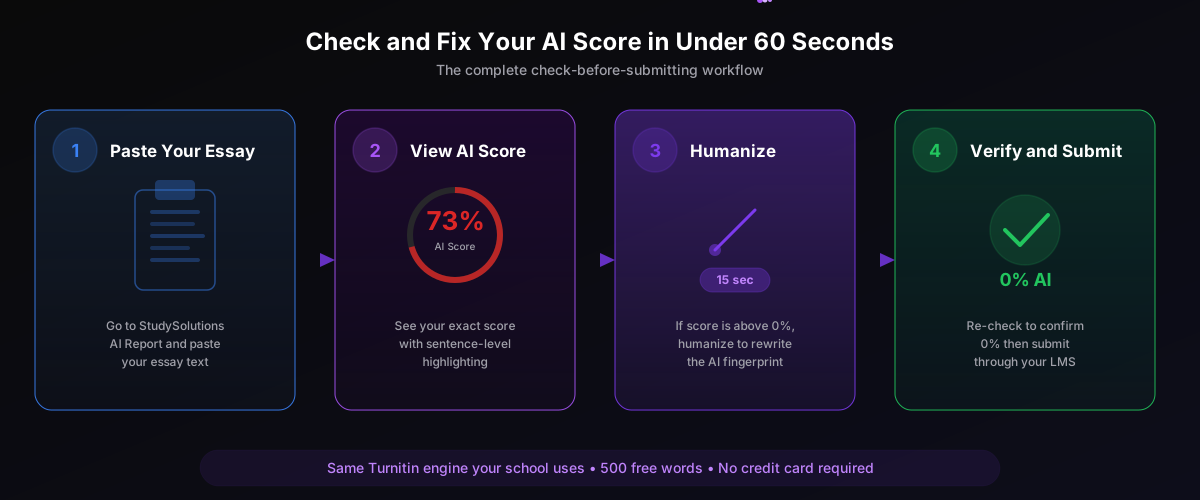
Paste Your Essay into StudySolutions AI Report
Go to the StudySolutions AI Report page. Paste your full essay text into the input field. The engine accepts up to 15,000 words per check. For your first time, the 500 free words (no credit card) are enough to test a full paragraph and verify the engine accuracy.
View Your AI Percentage Score with Sentence Highlighting
Within seconds, you see your AI Writing Detection percentage (0-100%) and sentence-level highlighting. Each sentence is color-coded by confidence: red sentences are flagged with high confidence, yellow sentences are borderline, green sentences are cleared. This is the same breakdown your professor sees in their Turnitin Similarity Report.
If Score Is Above 0% — Humanize in 15 Seconds
If your AI score is anything above 0%, paste your text into the StudySolutions Humanizer. In 15 seconds, the humanizer rewrites your text at the statistical level — transforming the perplexity from AI range (24) to human range (71), burstiness from flat (0.22) to rhythmic (0.79), and all sentence-level scoring from red-flagged to green-cleared. Your evidence, arguments, and writing style stay intact. Only the statistical fingerprint changes.
Verify 0% and Submit Through Your LMS
Run the humanized text through the AI Report one more time to confirm 0% AI. Once verified: type the humanized text naturally into your LMS submission box (Canvas, Blackboard, Brightspace, Moodle, or Schoology). Do not paste large blocks — some LMS editors log paste events. The institutional Turnitin scan will return 0% AI with all sentences cleared green.
What Your AI Score Means — And What Triggers a Flag
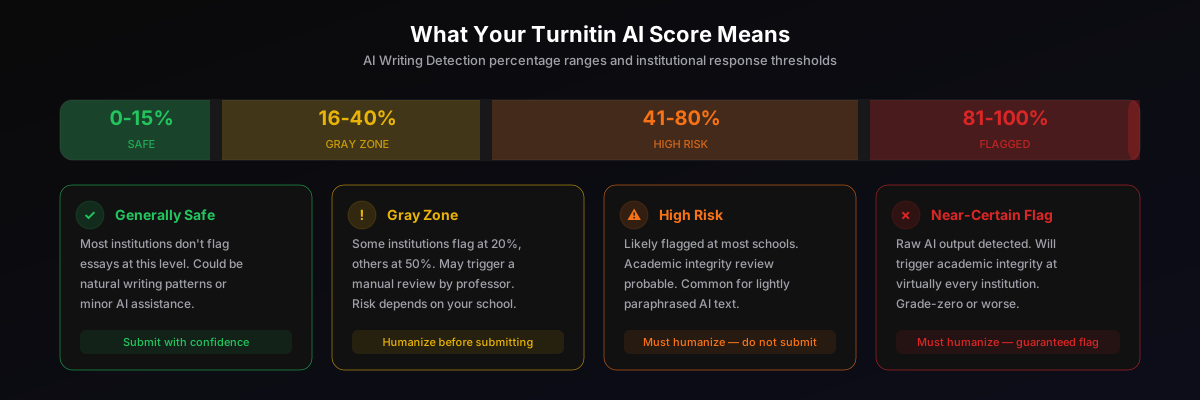
The threshold that triggers an academic integrity review varies by institution. Some universities flag at 20%, others at 50%. Some professors manually review any score above 0%. There is no universal “safe” threshold except 0%.
Generally Safe
Most institutions don't flag essays at this level. Could be natural writing patterns or minor AI editing assistance.
Gray Zone
Some institutions flag here, others don't. May trigger manual review. Risk depends entirely on your school's policy.
High Risk
Likely flagged at most institutions. Common for lightly paraphrased AI text. Academic integrity review probable.
Near-Certain Flag
Raw AI output detected. Will trigger academic integrity review at virtually every institution. Grade-zero or worse.
The only guaranteed safe score is 0%. If your pre-check returns anything above 0%, humanize before submitting. For more on how to lower your Turnitin AI score, read our step-by-step guide. For the difference between the AI score and the plagiarism score, see our similarity score vs AI score explainer.
Don't Submit Blind
Check your AI score on the Turnitin engine first — fix it before your professor sees it
Before and After: Real AI Score Check Results
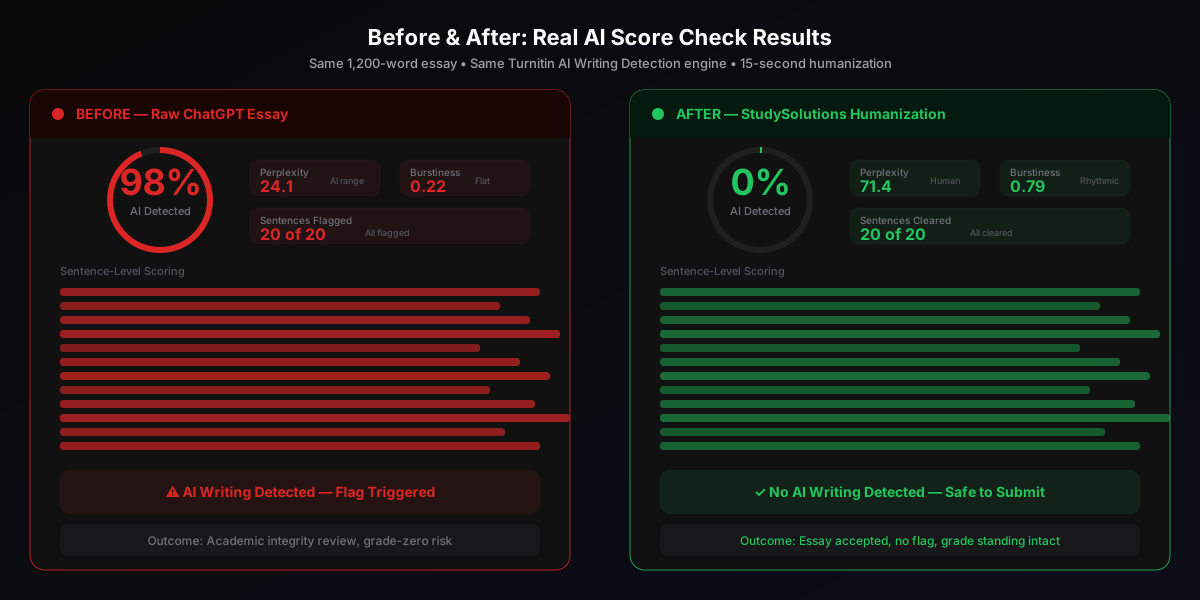
Before: Raw ChatGPT Essay
- 1,200-word essay generated by ChatGPT-4
- Perplexity: 24.1 (AI range, 20-26)
- Burstiness: 0.22 (flat, uniform rhythm)
- Turnitin AI Score: 98%
- Sentences flagged: 20 of 20 (all red)
- Outcome: Academic integrity review triggered
After: StudySolutions Humanization
- Same 1,200-word essay, humanized in 15 seconds
- Perplexity: 71.4 (human range, 60-80)
- Burstiness: 0.79 (rhythmic, natural variance)
- Turnitin AI Score: 0%
- Sentences cleared: 20 of 20 (all green)
- Outcome: Essay accepted, no flag
The humanizer preserves your evidence, argument structure, and authorial voice while completely rewriting the statistical patterns Turnitin's classifier reads. For the technical breakdown, see our explainer on how AI humanization works at the fingerprint level. This same result applies whether your original text came from ChatGPT, Claude, Gemini, Copilot, DeepSeek, or any other AI tool — read our guide on ChatGPT and Turnitin detection. Test it yourself — 500 free words, no credit card.
Pricing: Starting at $1.45/Week with 500 Free Words
The check-and-fix workflow starts free. StudySolutions offers 500 free words with no credit card required — enough to check a full paragraph on the Turnitin engine and verify the accuracy for yourself. After the free tier, choose the plan that fits your workflow:
| Plan | Price | AI Checker | Humanizer | Unlocks |
|---|---|---|---|---|
| Free | $0 | 500 words | 500 words | — |
| Turnitin Pass | $1.45/wk | Included | — | Basic |
| Humanizer Pass | $1.45/wk | Included | Included | — |
| Study Pass | $4.50/wk | Included | Included | Included |
| Study Pass+ | $9.95/wk | Included | Included | Included |
Recommended for the check-and-fix workflow: the Study Pass at $4.50/week. You get the Turnitin-engine AI checker, the humanizer, and homework unlocks — the complete pre-submission safety net for every essay routed through Canvas, Blackboard, Brightspace, Moodle, or Schoology. Compare all options on the pricing page.
FAQ: Checking Your Turnitin AI Score
One Check Protects Every Submission
The StudySolutions check-and-fix workflow works regardless of which AI tool you used — ChatGPT, Claude, Gemini, Copilot, DeepSeek, QuillBot, Wordtune, or any other tool. One humanization run produces text that scores 0% AI on the Turnitin engine because all AI tools produce the same type of statistical fingerprint. See how the best AI humanizers compare in 2026 and why StudySolutions consistently drops every AI tool to 0%.
Check Your AI Score Free — 500 Words, No Credit Card
Don't submit blind. Check your essay on the same Turnitin AI Writing Detection engine your school uses — the same classifier, the same accuracy (up to 98% on raw GPT-4 with under 1% false-positive rate), the same sentence-level highlighting your professor sees. If the score is above 0%, humanize to 0% in 15 seconds with your evidence and arguments intact. 500 free words to test, no credit card required. Starting at $1.45/week for unlimited checks.